If your FPL EVolution® Home charger has lost Wi-Fi connectivity, please follow the troubleshooting steps below.
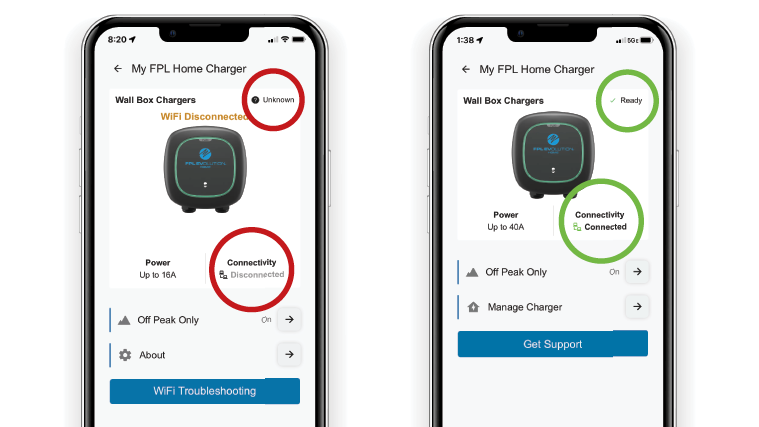
You can fix your charger’s Wi-Fi connection in just a few steps using the FPL EVolution app. Remember – for the best charging experience, please ensure your charger maintains a stable Wi-Fi connection. When disconnected, we may not get usage readings needed for accurate billing.
Watch a video to help reconnect your charger to Wi-Fi.
If power cycling your charger and router does not restore Wi-Fi connectivity, other solutions will vary depending on your home’s Wi-Fi router.
- Make sure that your Wi-Fi router does not have any band steering or Smart Connect features enabled.
- Ensure your Wi-Fi router has a 2.4GHz network enabled.
If you need further assistance with your Wi-Fi settings, please contact your internet service provider. For additional support, our dedicated FPL EVolution Home customer care team can be reached at (833) 919-0939.
Notifications from the FPL EVolution app will alert you of connectivity issues and other important messages.
For Apple devices
- Go to Settings and tap Notifications.
- Under Notification Style, select the FPL EVolution app.
- Toggle the Allow Notifications button to green.
- Under Alerts, select your desired alert styles and settings.
For Android devices
- Go to Settings, tap Notifications and then App Notifications.
- Under Most Recent or All Apps, select the FPL EVolution app.
- Turn the app notifications on.
Have you enabled notifications from the FPL EVolution app? We will alert you of connectivity issues and other important messages about your EV home charger.